No ads · no account · no tracking
Vayou plays
what is already yours.
Video and music from your own files, on your phone, TV and computer. Light, good-looking, and nothing between you and the film.
- Platforms
- 4
- Languages
- 11
- Ads
- Zero
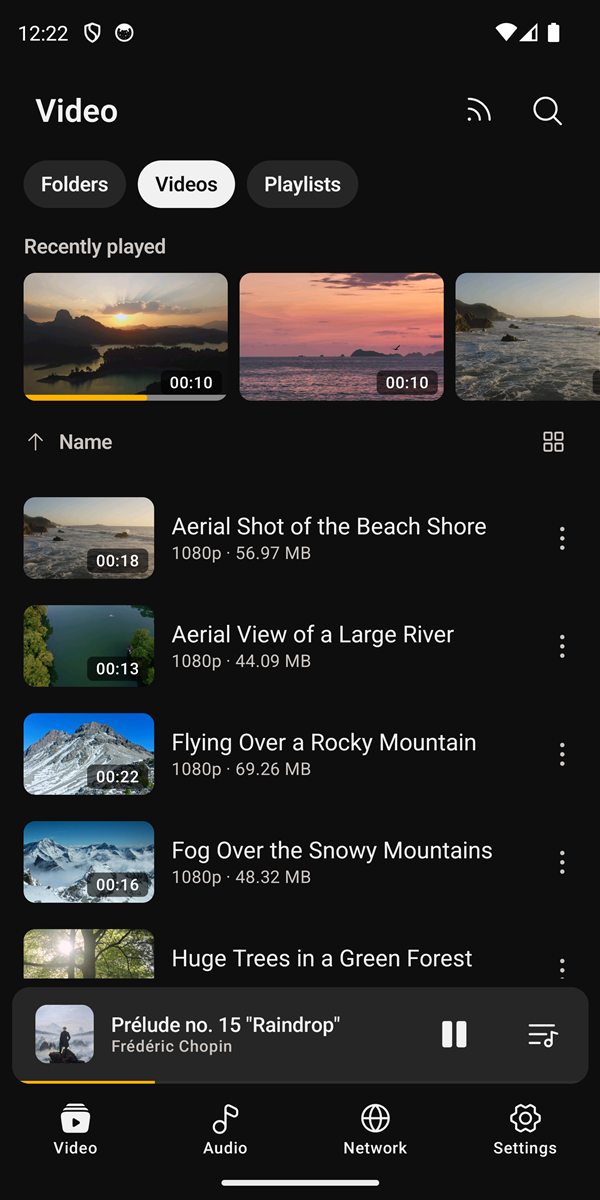
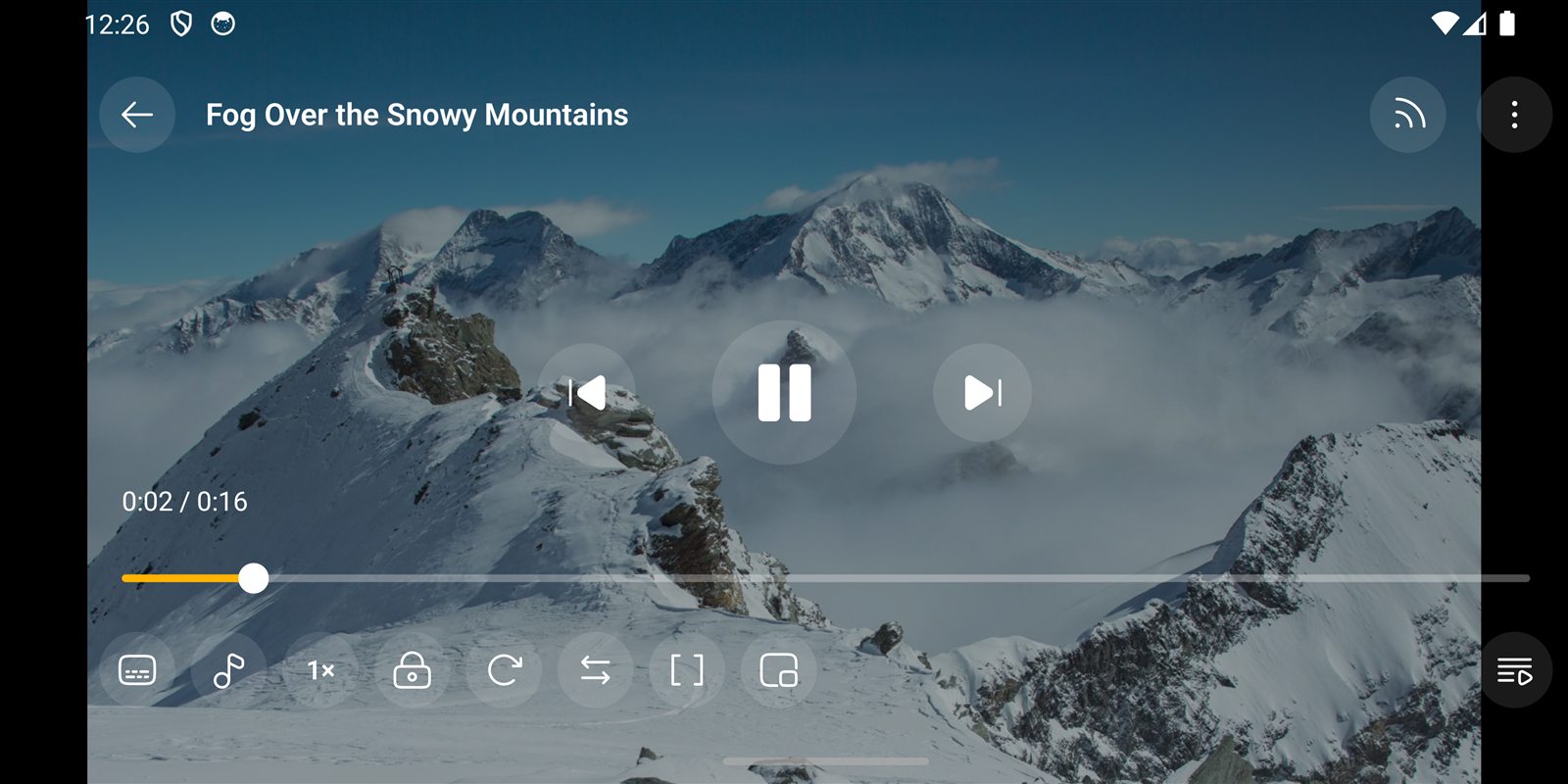
While the film plays
Everything at your fingertips.
Nothing in the way.
Swipe sideways to seek, up and down for brightness and volume, double tap to skip. It resumes where you left off and moves on to the next file in the folder.
- A–B repeat, speed and sleep timer
- Picture in picture and audio with the screen off
- Plays formats your device refuses, with built-in FFmpeg
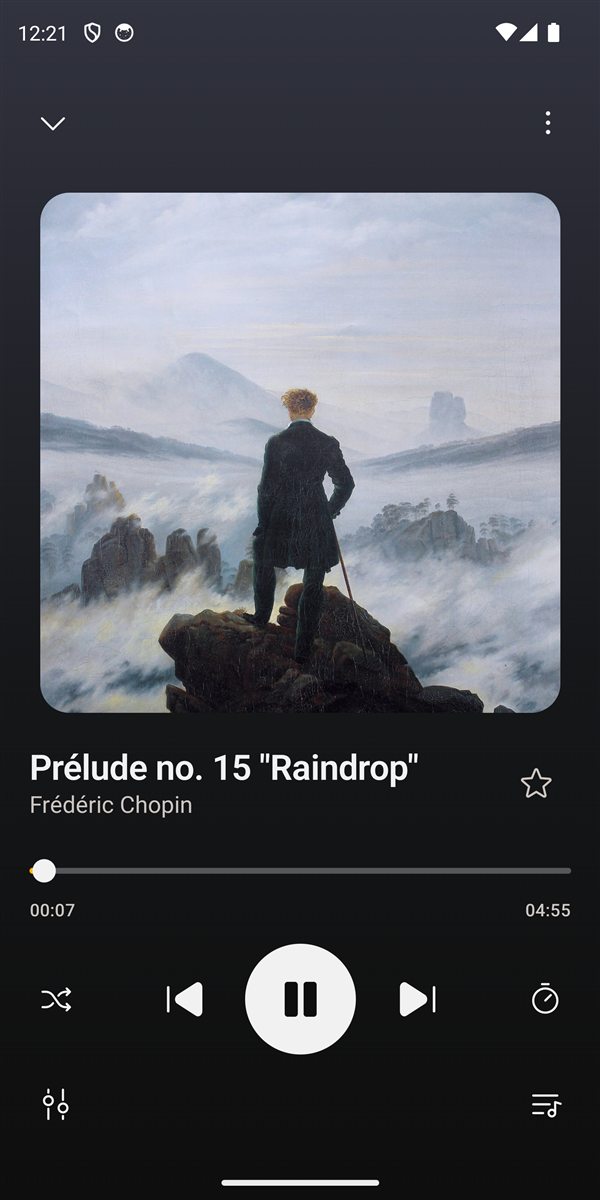
Music
It is also
your music player.
Songs, albums, artists, folders and playlists, with a now-playing screen in the colour of the cover. A queue you reorder by holding and dragging.
- 5-band equalizer with 10 presets and one for speech
- Volume up to 2x, pauses for calls or unplugged headphones
- Edit title, artist and cover without leaving the app
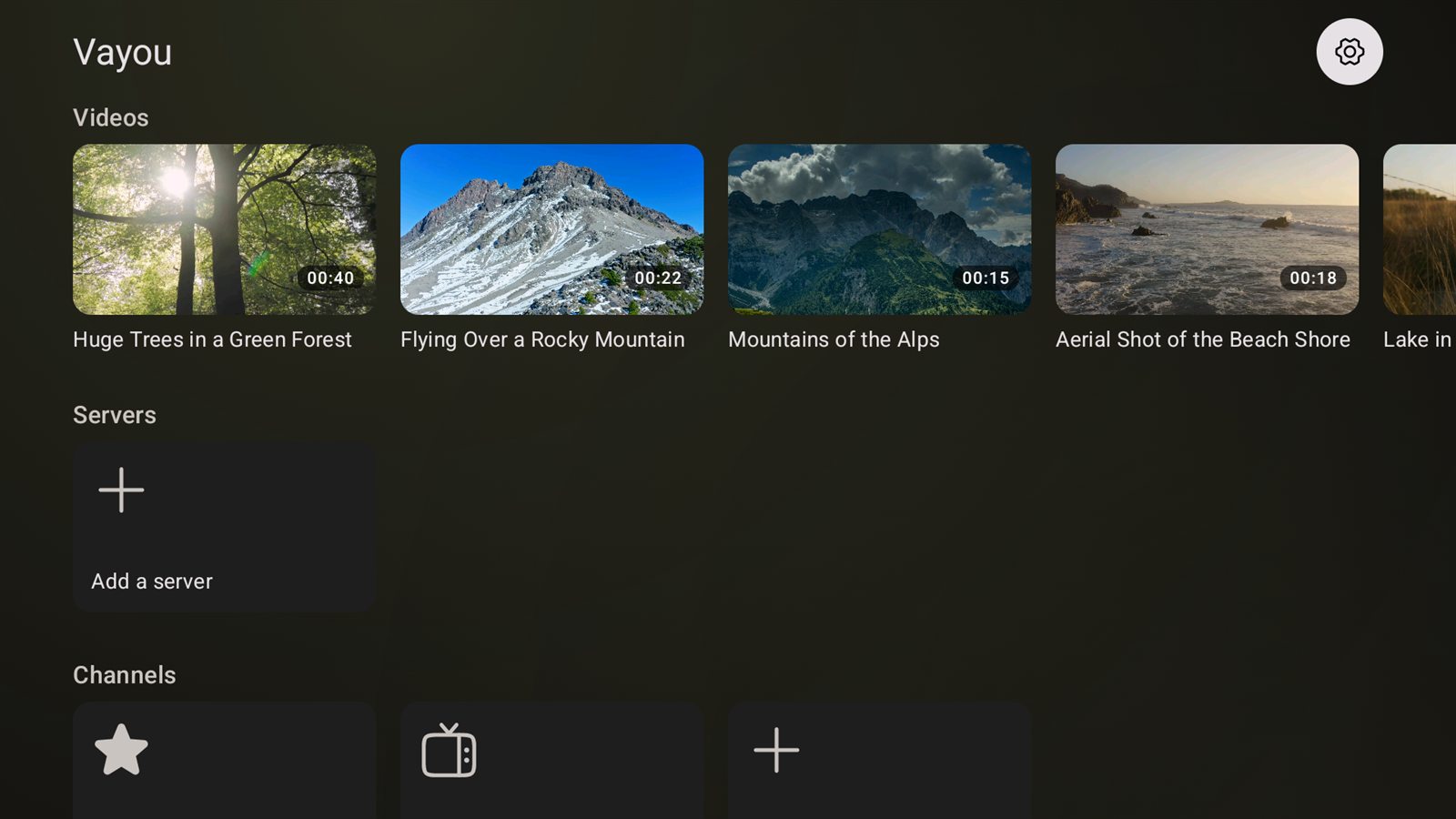
On the TV
Built for a remote,
not a touchscreen.
Vayou TV has every screen designed for the arrow keys, with "continue watching" up front. Or cast from your phone to a Chromecast, subtitles included.
- Computer and NAS folders over the network, no copying
- M3U channel lists by country or group
- Audio and subtitle tracks, night mode and volume boost
On the computer
Windows and Linux,
as light as on the phone.
Starts fast, uses little memory and decodes on the graphics card. Frameless, always on top if you like, and dropping a file on the window plays it.
- Speed from 0.25x to 4x, frame step and chapters
- Loudness normalization, 200% volume and audio delay
- Remappable shortcuts and video screenshots
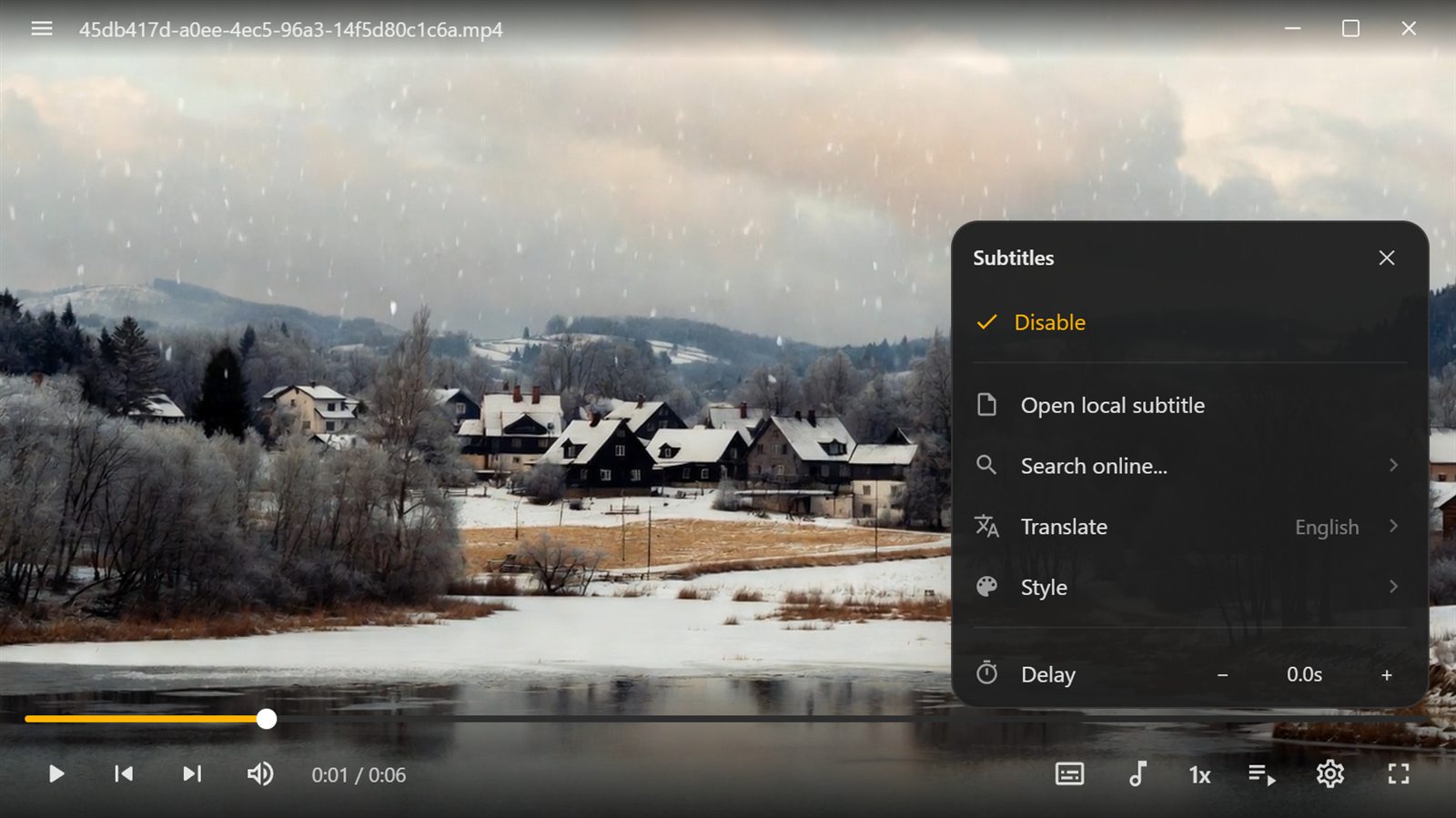
Subtitles, library and the rest.
What you would expect from a player — and a bit more.
Find subtitles by file or by name on OpenSubtitles, without leaving the film.
The subtitle on screen, translated live into your language.
Font, size, position, colour, outline, shadow, background and delay.
Folders, everything at once or playlists, in a grid or list, with favourites and search.
Videos that only open with your fingerprint.
The black bars beside the film take on the colour of the scene.
Windows and NAS shared folders, discovered for you.
Light, dark, black for OLED screens, or the system one — with your wallpaper colour.
No ads, no account, no analytics and no crash reports.
Where it runs
One player, four screens.
The same care on your phone, TV and computer.
- Android
- 6.0 or newer
- Android TV
- Its own app, remote first
- Windows
- Installer or standalone
- Linux
- .deb, Arch and binary
- Chromecast
- Subtitles included
- Languages
- 11
Questions
How much does it cost?+
Nothing. Vayou is free and open source, with no ads and no in-app purchases.
Does it come with films or channels?+
No. Vayou is only the player: it plays the files and lists you already have.
Do I need an account or internet?+
No. Everything works without an account or internet. The network is only used when you search or translate a subtitle, open a shared folder or cast to the TV.
What does it collect about me?+
Nothing. There are no analytics, no tracking and no crash reports.
Does it play MKV, AVI and HEVC?+
Yes. It tries your device decoder first and, if that refuses, uses the FFmpeg that ships with it.

Your films deserve a better player.
Coming to Google Play. Meanwhile, take a look at the other Ohgawa apps.
See the Ohgawa apps